BIGTREETECH Panda Knomi 3D Printer Display
Official Store Deal
Expert Analysis Overview
The BIGTREETECH Panda Knomi is a purpose-built external display module designed to enhance the user experience of Bambulab A1, X1, and P1 series 3D printers, offering real-time progress updates and customizable interface options. This device transforms the often-abstract process of 3D printing into a visually engaging and easily digestible workflow, making it particularly valuable in educational settings or for hobbyists seeking greater operational clarity. Its compact form factor and clear visual cues simplify monitoring, ensuring users can quickly ascertain the printer's status without needing to constantly check a computer or the printer's main interface. The Knomi provides immediate feedback, which is crucial for both novice and experienced users. This external display integrates seamlessly, providing an upgrade over basic status indicators.
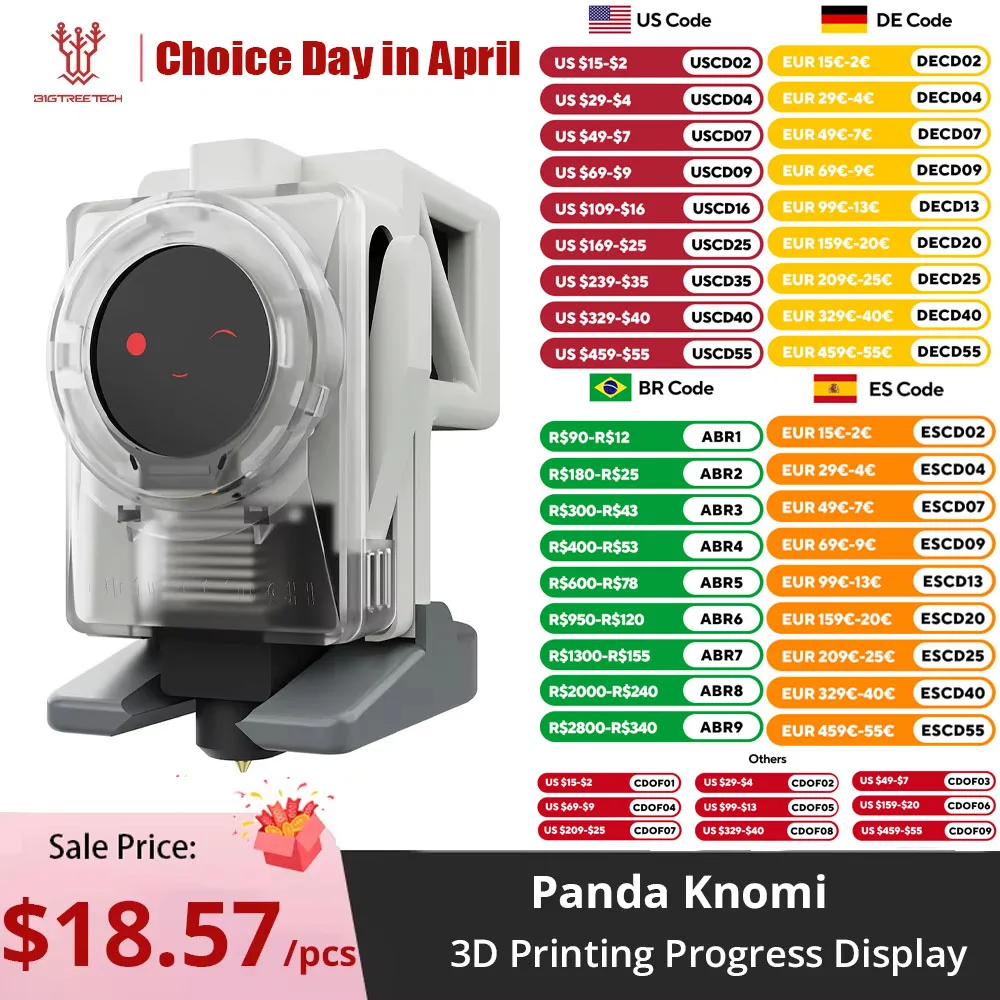
The Knomi unit features a circular display encased in a translucent housing, revealing some internal components. The visible materials imply a robust yet lightweight construction, suitable for attachment to a 3D printer without adding significant bulk. Its design prioritizes visibility and ease of interpretation.
This construction facilitates quick visual checks, allowing users to monitor print progress from a distance. The transparent casing also offers a glimpse into the underlying technology, which can be an educational point for students. Such transparency is often overlooked in consumer electronics.
Unlike many generic status lights that offer minimal information, the Knomi's dedicated display provides rich data. This makes it a superior choice for environments where detailed operational awareness is paramount.
Internally, the Knomi is powered by an ESP32-WROVER-E module, a popular choice for IoT and embedded applications. This indicates a capable processing unit, allowing for complex display logic and connectivity features. An ESP32 is a powerful microcontroller.
This choice of microcontroller enables advanced functionalities like Over-The-Air (OTA) updates, ensuring the device remains current with the latest features and bug fixes. It also supports flexible UI customization, which is a significant advantage for personalized user experiences. The module's Wi-Fi capabilities facilitate seamless integration with printer networks.
Standard 3D printer displays often rely on simpler, less powerful microcontrollers, limiting their functionality and update potential. The Knomi's ESP32 integration positions it as a more future-proof and adaptable accessory.
The display is designed to convey a wide array of 3D printing statuses through intuitive icons. These include indicators for heated bed temperature, leveling status, flow calibration, filament retraction, purging, nozzle heating, and print completion. Visual communication is key.
For a STEM educator, these clear icons are invaluable for teaching students about the various stages and parameters of 3D printing without overwhelming them with raw data. Students can easily grasp concepts like bed leveling or filament purging by observing the corresponding icon. This visual feedback reinforces learning.
Many entry-level 3D printers offer only basic text-based status updates, which can be less intuitive for beginners. The Knomi's icon-driven interface simplifies the learning curve significantly, reducing frustration for new users.
The Knomi's ability to display real-time status updates directly reduces the need for constant computer monitoring. This allows users to initiate prints and then rely on the Knomi for progress checks, freeing up their computer for other tasks. Efficiency improves workflow.
In a classroom setting, this means an instructor can start a print and then focus on other students or lessons, only needing to glance at the Knomi for critical updates. It streamlines the educational process by minimizing distractions related to print monitoring. The display offers peace of mind.
Traditional methods often require a dedicated computer screen or frequent trips to the printer itself, which can disrupt teaching flow. The Knomi offers a more independent and less intrusive monitoring solution.
The device's straightforward setup and clear visual feedback contribute to safer operation. By providing immediate alerts for issues like heating or filament errors, it allows for prompt intervention. Safety is paramount.
Teaching students about safe 3D printing practices is easier when potential issues are visually highlighted in real-time. The Knomi can display warnings or critical status changes, enabling instructors to demonstrate problem-solving in a controlled manner. This proactive approach prevents mishaps.
Unlike systems that bury critical information in menus or require specific software checks, the Knomi puts essential safety and operational data front and center. This reduces the likelihood of overlooking important alerts, especially in a busy educational environment.
The Knomi features a compact circular display with a width of 34.59 mm (1.4 inches) and a total height of 39.5 mm (1.6 inches). Its small footprint ensures it does not obstruct printer movement or take up excessive space. Small size is a benefit.
These dimensions allow for flexible mounting options on various Bambulab printer models (A1, X1, P1 series) without interfering with their operation. The device is designed to be an unobtrusive yet highly functional addition. Proper placement is easy.
Larger, more cumbersome displays can sometimes impede access to printer components or become physical obstacles. The Knomi's compact design ensures it integrates smoothly into existing setups, maintaining the printer's original ergonomics.
The ability to customize the user interface (UI) allows for a personalized experience. Users can potentially choose different icon sets, display layouts, or even animated progress indicators. Personalization enhances utility.
For educators, this means the UI can be tailored to specific learning objectives or student age groups, making the display even more effective as a teaching tool. A simplified UI might be used for younger students, while more detailed information could be presented to advanced learners. Adaptability is a strong point.
Many stock printer displays offer fixed interfaces, limiting user interaction and personalization. The Knomi's customizable UI, combined with OTA updates, ensures it can evolve with user needs and technological advancements.
At a price point around
Unveiling the Knomi's Core
The Knomi unit features a circular display encased in a translucent housing, revealing some internal components. The visible materials imply a robust yet lightweight construction, suitable for attachment to a 3D printer without adding significant bulk. Its design prioritizes visibility and ease of interpretation.
This construction facilitates quick visual checks, allowing users to monitor print progress from a distance. The transparent casing also offers a glimpse into the underlying technology, which can be an educational point for students. Such transparency is often overlooked in consumer electronics.
Unlike many generic status lights that offer minimal information, the Knomi's dedicated display provides rich data. This makes it a superior choice for environments where detailed operational awareness is paramount.
The Brains Behind the Display
Internally, the Knomi is powered by an ESP32-WROVER-E module, a popular choice for IoT and embedded applications. This indicates a capable processing unit, allowing for complex display logic and connectivity features. An ESP32 is a powerful microcontroller.
This choice of microcontroller enables advanced functionalities like Over-The-Air (OTA) updates, ensuring the device remains current with the latest features and bug fixes. It also supports flexible UI customization, which is a significant advantage for personalized user experiences. The module's Wi-Fi capabilities facilitate seamless integration with printer networks.
Standard 3D printer displays often rely on simpler, less powerful microcontrollers, limiting their functionality and update potential. The Knomi's ESP32 integration positions it as a more future-proof and adaptable accessory.
Operational Clarity for Educators and Enthusiasts
The display is designed to convey a wide array of 3D printing statuses through intuitive icons. These include indicators for heated bed temperature, leveling status, flow calibration, filament retraction, purging, nozzle heating, and print completion. Visual communication is key.
For a STEM educator, these clear icons are invaluable for teaching students about the various stages and parameters of 3D printing without overwhelming them with raw data. Students can easily grasp concepts like bed leveling or filament purging by observing the corresponding icon. This visual feedback reinforces learning.
Many entry-level 3D printers offer only basic text-based status updates, which can be less intuitive for beginners. The Knomi's icon-driven interface simplifies the learning curve significantly, reducing frustration for new users.
Simplifying the Slicing Workflow
The Knomi's ability to display real-time status updates directly reduces the need for constant computer monitoring. This allows users to initiate prints and then rely on the Knomi for progress checks, freeing up their computer for other tasks. Efficiency improves workflow.
In a classroom setting, this means an instructor can start a print and then focus on other students or lessons, only needing to glance at the Knomi for critical updates. It streamlines the educational process by minimizing distractions related to print monitoring. The display offers peace of mind.
Traditional methods often require a dedicated computer screen or frequent trips to the printer itself, which can disrupt teaching flow. The Knomi offers a more independent and less intrusive monitoring solution.
Safety and Ease of Use in the Classroom
The device's straightforward setup and clear visual feedback contribute to safer operation. By providing immediate alerts for issues like heating or filament errors, it allows for prompt intervention. Safety is paramount.
Teaching students about safe 3D printing practices is easier when potential issues are visually highlighted in real-time. The Knomi can display warnings or critical status changes, enabling instructors to demonstrate problem-solving in a controlled manner. This proactive approach prevents mishaps.
Unlike systems that bury critical information in menus or require specific software checks, the Knomi puts essential safety and operational data front and center. This reduces the likelihood of overlooking important alerts, especially in a busy educational environment.
Dimensions and Integration
The Knomi features a compact circular display with a width of 34.59 mm (1.4 inches) and a total height of 39.5 mm (1.6 inches). Its small footprint ensures it does not obstruct printer movement or take up excessive space. Small size is a benefit.
These dimensions allow for flexible mounting options on various Bambulab printer models (A1, X1, P1 series) without interfering with their operation. The device is designed to be an unobtrusive yet highly functional addition. Proper placement is easy.
Larger, more cumbersome displays can sometimes impede access to printer components or become physical obstacles. The Knomi's compact design ensures it integrates smoothly into existing setups, maintaining the printer's original ergonomics.
Customization and Future-Proofing
The ability to customize the user interface (UI) allows for a personalized experience. Users can potentially choose different icon sets, display layouts, or even animated progress indicators. Personalization enhances utility.
For educators, this means the UI can be tailored to specific learning objectives or student age groups, making the display even more effective as a teaching tool. A simplified UI might be used for younger students, while more detailed information could be presented to advanced learners. Adaptability is a strong point.
Many stock printer displays offer fixed interfaces, limiting user interaction and personalization. The Knomi's customizable UI, combined with OTA updates, ensures it can evolve with user needs and technological advancements.
The Value Proposition
At a price point around
8.57, the BIGTREETECH Panda Knomi offers significant value as an upgrade for Bambulab printer owners. This cost is a small investment for enhanced monitoring and educational utility. It improves the overall printing experience.
Considering the time saved by not constantly checking print progress on a computer and the educational benefits in a classroom, the Knomi quickly justifies its cost. It reduces operational anxiety and streamlines the learning process. The return on investment is clear.
Compared to the potential cost of failed prints due to undetected issues or the time lost to inefficient monitoring, the Knomi represents an affordable solution. It prevents costly mistakes and makes 3D printing more accessible.
Imagine a classroom where students independently monitor their prints, understanding each stage through clear, animated icons. Picture a busy workshop where you can glance at the Knomi and instantly know if a critical print is progressing as expected, without interrupting your current task. This display transforms a complex process into an intuitive, visually rich experience, empowering users with real-time insight and control.
Considering the time saved by not constantly checking print progress on a computer and the educational benefits in a classroom, the Knomi quickly justifies its cost. It reduces operational anxiety and streamlines the learning process. The return on investment is clear.
Compared to the potential cost of failed prints due to undetected issues or the time lost to inefficient monitoring, the Knomi represents an affordable solution. It prevents costly mistakes and makes 3D printing more accessible.
Imagine a classroom where students independently monitor their prints, understanding each stage through clear, animated icons. Picture a busy workshop where you can glance at the Knomi and instantly know if a critical print is progressing as expected, without interrupting your current task. This display transforms a complex process into an intuitive, visually rich experience, empowering users with real-time insight and control.